AI for Beginners: How to Get Started in 2026
5-second Summary
AI doesn't have to be overwhelming. This is the straight-talking beginner's guide to understanding AI, picking your first tools, and actually using them — no coding, no jargon, no fluff.
Let's get something out of the way: you're not too late to AI.
I know it feels that way. Every week there's a new tool, a new model, a new headline screaming about how AI is replacing jobs, rewriting industries, and leaving everyone behind. Your LinkedIn feed is full of people posting their "AI workflows" like it's the most natural thing in the world.
And you're sitting there thinking: I barely know where to start.
That's completely normal. And honestly? Most people posting about AI are figuring it out as they go too. The difference is they started.
This guide is for the person who wants to stop watching from the sidelines and actually learn AI — in plain English, with real tools, and without needing a computer science degree.

First Things First: What Even Is AI?
Forget everything you've seen in movies. AI in 2026 is not Skynet. It's not a sentient robot plotting against humanity.
AI is software that can learn from data and make decisions or generate content based on what it learned.
That's it. That's the whole thing.
When you use ChatGPT to write an email, it's using patterns from billions of text examples to predict what words should come next. When Midjourney creates an image from your description, it's using patterns from millions of images to generate something new.
The key concepts you need to know (and nothing more):
AI (Artificial Intelligence): The broad category. Software that mimics human-like thinking.
Machine Learning: AI that improves by learning from data, not by being manually programmed.
Large Language Models (LLMs): The tech behind ChatGPT, Claude, Gemini. They understand and generate human language.
Generative AI: AI that creates new content — text, images, video, code, music.
Prompting: How you talk to AI. The instructions you give it. Better prompts = better results.
That's your vocabulary. You don't need more than this to start using AI effectively today.
The #1 Mistake Beginners Make
Here it is: trying too many tools at once.
Every article you read lists 50 AI tools. You download five of them, try each for 10 minutes, get confused, feel overwhelmed, and give up. Sound familiar?
The fix is embarrassingly simple: pick one tool and use it every single day for two weeks.
That's it. Don't compare. Don't switch. Don't read another "Top 100 AI Tools" listicle. Just pick one and get good at it.
The goal isn't to know every AI tool. It's to become genuinely useful with one.
Once you've built that muscle, adding new tools is easy. But the foundation — understanding how to talk to AI, what it's good at, what it's bad at — that comes from repetition with a single tool.

The 5 AI Tools Every Beginner Should Know About
You don't need to use all of these. But you should know what they do so you can pick the one that fits your life.
1. ChatGPT — The Swiss Army Knife
What it does: Answers questions, writes content, brainstorms ideas, explains concepts, helps with code, analyzes data, creates images.
Why beginners love it: It does everything. You can ask it anything in plain English and get a useful response. It's the closest thing to having a smart assistant available 24/7.
Best for: Writing, learning, research, daily tasks, problem-solving.
Start here if: You have no idea where to begin. Seriously, just go to chat.openai.com and start asking questions.
2. Claude — The Thoughtful Writer
What it does: Similar to ChatGPT but with a different personality. Claude tends to write cleaner, more nuanced text and is especially strong at analysis, coding, and working with long documents.
Why beginners love it: It feels calmer and more precise than ChatGPT. Many people find Claude's responses more natural and easier to work with.
Best for: Long-form writing, document analysis, coding help, thoughtful conversations.
Start here if: You want something that feels less "techy" and more like talking to a smart colleague.
3. Perplexity — The Research Engine
What it does: AI-powered search that gives you direct answers with sources instead of a list of links. Think Google, but it actually reads the articles for you and summarizes the answer.
Why beginners love it: It replaces the exhausting process of opening 10 tabs and scanning through articles. You get cited, up-to-date answers in seconds.
Best for: Research, fact-checking, staying current on any topic, replacing Google for complex questions.
Start here if: You spend a lot of time researching or need reliable, sourced answers.
4. Gemini — The Image Creator
What it does: Generates stunning images from text descriptions. Describe what you want, and it creates it.
Why beginners love it: It's magical. Describe "a cozy coffee shop on a rainy Tokyo street at night" and watch it appear in seconds. No design skills needed.
Best for: Social media content, presentations, creative projects, visualizing ideas.
Start here if: You need visuals for your work or creative projects.
5. Notion AI — The Workspace Brain
What it does: AI built into the Notion workspace. Summarizes notes, writes drafts, finds information across your documents, automates organization.
Why beginners love it: If you already use Notion (or want to start), the AI is right there where you work. No switching between apps.
Best for: Note-taking, project management, document writing, personal organization.
Start here if: You want AI integrated directly into how you organize your work and life.
Your First Week With AI: A Day-by-Day Plan
Enough theory. Here's exactly what to do for your first 7 days. Pick ChatGPT or Claude as your starting tool.
Day 1: Have a Conversation
Open the tool and just... talk to it. Ask it:
"Explain AI to me like I'm 10 years old"
"What are 5 ways I could use AI in my daily life?"
"Help me write a better version of this email: [paste your email]"
The goal is to get comfortable. There's no wrong way to do this.
Day 2: Solve a Real Problem
Think of something you've been putting off. Then ask AI to help:
"Create a weekly meal plan for someone who hates cooking"
"Draft a response to this difficult message from my boss"
"Explain this contract clause in simple terms: [paste clause]"
Notice how it saves you time. That's the hook.
Day 3: Learn Something New
Pick a topic you've always wanted to understand and have AI teach you:
"Teach me the basics of investing like I'm a complete beginner"
"Explain how cryptocurrency works, step by step"
"What should I know about nutrition that most people get wrong?"
AI is the most patient teacher you'll ever have. Ask follow-ups. Say "explain that simpler." Go deeper.
Day 4: Create Something
Use AI to make something you wouldn't have made otherwise:
A cover letter for a job you're interested in
A business plan outline for an idea you've had
A social media post about something you care about
A workout routine customized to your goals
Day 5: Improve Your Prompts
By now you've noticed: some responses are amazing, some are meh. The difference is how you ask.
The prompt formula that works:
Role + Context + Task + Format
Example:
❌ "Write me an email"
✅ "You're a professional copywriter. I run a small bakery and need to email my customers about our new summer menu. Write a friendly, short email (under 150 words) that makes them want to visit this weekend."
See the difference? The second prompt gives AI everything it needs to give you exactly what you want.
Day 6: Combine AI With Your Work
Whatever you do for a living, AI can help:
Marketing? "Generate 10 headline variations for this ad campaign about [product]"
Sales? "Draft a follow-up email to a prospect who went silent after our demo"
Teaching? "Create a quiz with 10 questions about [topic] for [grade level] students"
Freelancing? "Write a project proposal for a client who wants [deliverable]"
Student? "Summarize this research paper and highlight the 3 most important findings: [paste]"
Day 7: Reflect and Plan
Ask yourself:
What did AI save me time on this week?
What surprised me about what it could do?
What do I want to learn next?
Then ask AI: "Based on what I've used you for this week [describe], what other AI tools or techniques should I explore next?"

7 Things I Wish Someone Told Me When I Started
1. AI is wrong sometimes. That's normal.
AI "hallucinates" — it makes things up with total confidence. Always verify important facts. Use AI for drafts and ideas, not as a source of truth.
2. You don't need to understand how it works.
You don't understand how your car engine works either, and you drive every day. You need to know how to use AI, not how to build it.
3. The free versions are more than enough to start.
ChatGPT Free, Claude Free, Perplexity Free — all incredibly capable. Don't pay for anything until you've maxed out what the free tier offers.
4. AI gets better when you give it feedback.
Say "that's too formal, make it casual" or "this is close but I need more detail on the second point." Treat it like a conversation, not a vending machine.
5. The best AI skill is asking good questions.
This is called "prompt engineering" and it sounds fancier than it is. It's just learning to be specific about what you want. Clear input = clear output.
"But I'm Not a Tech Person"
Good. You don't need to be.
The whole point of modern AI tools is that they use natural language. You talk to them in English (or any language). No code. No technical setup. No command line.
If you can write a text message, you can use AI.
The people who benefit most from AI aren't developers — they're writers, marketers, teachers, students, freelancers, small business owners, and anyone who does knowledge work. The tools are designed for you.
The only skill you need is curiosity. The willingness to try something, see what happens, and try again.

The Real Question
The gap between people who use AI well and people who don't isn't about which AI they picked. It's about whether they have a system for using AI at all.
Knowing that Claude is better for coding or Perplexity is better for research is useful — but only if you're actually using them consistently, building workflows, and leveling up your skills.
That's exactly what most people are missing: not the tools, but the structure.
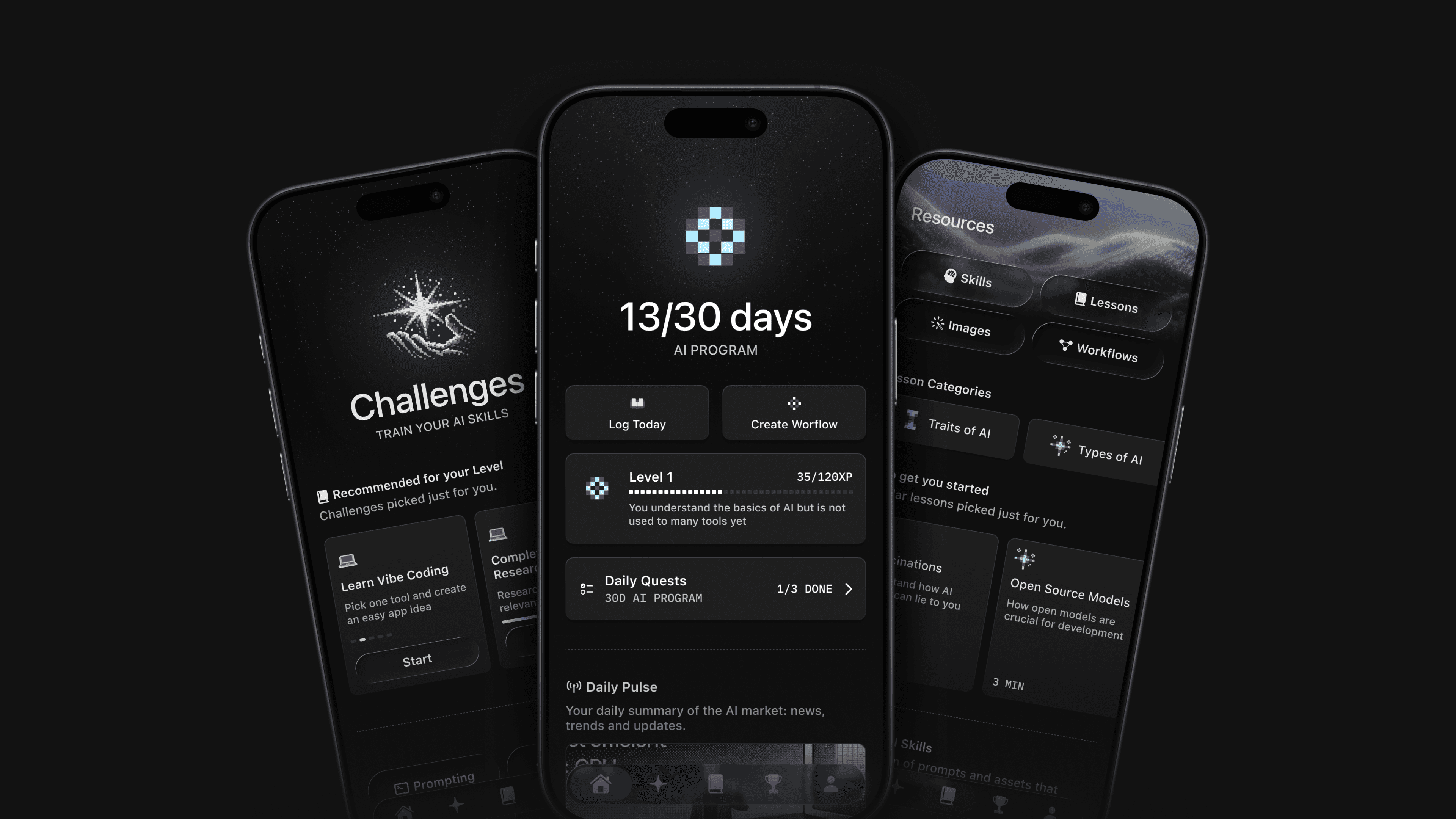
Disparity gives you that structure. It diagnoses your current AI level, builds a personalized 30-day challenge with daily tasks, tracks your streak, rates 60+ tools, and teaches you the right skills in order — so you stop guessing and start compounding.
Try for free today.
Published on
Pedro Schott
Writer at Disparity